
SQL Wildcards Operator with Examples

Introduction to SQ Wildcards
The SQL LIKE Operator is a powerful tool used in database queries to perform pattern matching on text data. It allows users to search for specific patterns within strings, making it an essential component in SQL queries for tasks like data filtering and searching.
In this article, we will explore the various aspects of the SQL LIKE Operator, its syntax, usage of wildcard characters, performance considerations, best practices, and real-world use cases.
SQL Wildcards Operator
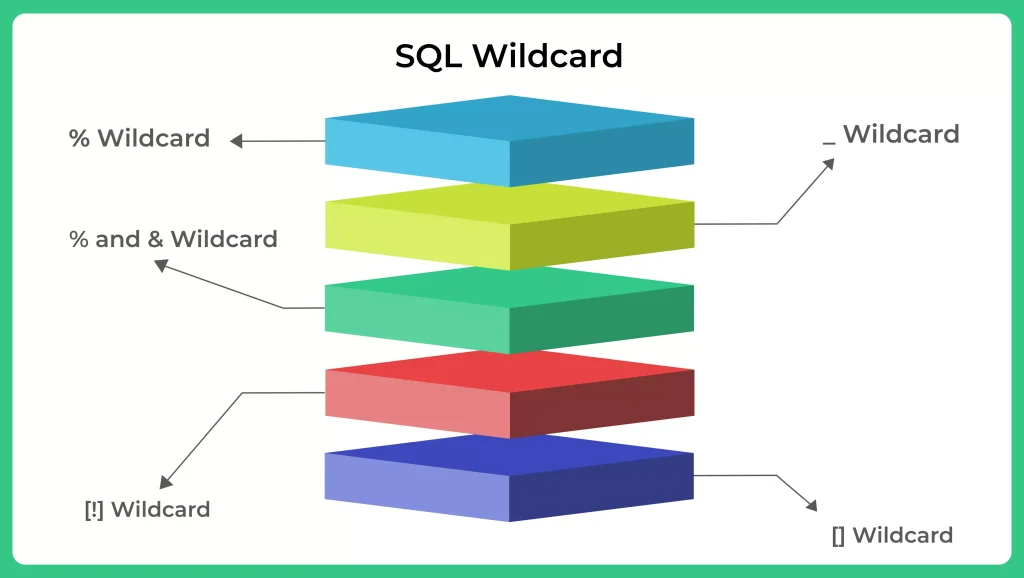
SQL wildcards are special characters used in SQL queries to perform pattern-based searches within text data. They allow us to search for data that matches a specific pattern, rather than searching for exact values. Wildcards are useful when you want to retrieve data that follows a certain structure or contains specific characters.
The two main SQL wildcards are:
The percent sign %: This wildcard represents any sequence of characters of any length. It can be used to match zero or more characters in a column value.
The underscore _: This wildcard represents a single character. It can be used to match a single character in a column value.
Syntax of the SQL LIKE Operator
- The basic syntax of the SQL LIKE Operator is as follows:
- The column_name represents the name of the column to search, table_name is the name of the table, and ‘pattern‘ is the specific pattern we want to find within the column.
SELECT column_name
FROM table_name
WHERE column_name LIKE 'pattern';
Using Wildcards
Wildcards are special characters that allow for flexible pattern matching. The two commonly used wildcards are:
- % (percentage sign): It matches any sequence of characters (including none).
- _ (underscore): It matches any single character.
Example 1: Using the SQL LIKE Operator
SELECT employee_name
FROM employees
WHERE employee_name LIKE 'J%';
Example 2: Wildcard Characters Explained
SELECT employee_name
FROM employees
WHERE employee_name LIKE '%son';
SELECT employee_name
FROM employees
WHERE employee_name LIKE '___e';
SELECT product_name
FROM products
WHERE product_name LIKE 'S%o_r';
Filtering Players from Spain
- Suppose we want to retrieve a list of players who belong to Spain. We can achieve this using the SQL LIKE Operator to match the country name.
SELECT *
FROM Players
WHERE Country LIKE 'Spain';
 Output of the Query:

Player_id | first_name | last_name | Goals | Country
----------------------------------------------------
2         | Kevin      | Bruce     | 22    | Spain
3         | David      | De Gea    | 21    | Spain
Click below to access free SQL quizzes which will be helpful in your placement exams


Case Sensitivity with Wildcards
- By default, SQL LIKE operator is case-insensitive. However, the case-sensitivity behavior may vary based on the database system and configuration.
Advantages of Using SQL Wildcards:
Examples of SQL Wildcards
Example 1: Searching for Names
- Suppose we have a table of employees, and we want to find employees whose names start with “D.”
SELECT * FROM employees WHERE name LIKE 'D%';
Conclusion
SQL wildcards are powerful tools that enable us to perform pattern-based searches within text columns. They offer flexibility and efficiency in retrieving data from databases. However, it’s essential to use them judiciously and be mindful of performance considerations.
Prime Course Trailer
Related Banners
Get PrepInsta Prime & get Access to all 200+ courses offered by PrepInsta in One Subscription

Question 1.
Can Wildcards be used with numeric data types? data types.
No, wildcards are used to search within text data types, such as VARCHAR or CHAR. They do not apply to numeric
Question 2.
Are there any performance considerations when using wildcards?
Yes, using leading wildcards can negatively impact query performance, especially in large databases. It’s best to avoid leading wildcards and, if possible, use other indexing and full-text search mechanisms.
Question 3.
Can multiple wildcards be used in a single query?
Yes, you can use multiple wildcards in a single query to create complex patterns and retrieve more specific data.
Question 4.
Are wildcards case-sensitive?
The case sensitivity of wildcards depends on the database system and its configuration. By default, the LIKE operator is case-insensitive in many systems, but some databases allow you to configure the case sensitivity behavior.
Get over 200+ course One Subscription
Courses like AI/ML, Cloud Computing, Ethical Hacking, C, C++, Java, Python, DSA (All Languages), Competitive Coding (All Languages), TCS, Infosys, Wipro, Amazon, DBMS, SQL and others

